blog添加algolia搜索
安装
插件地址在:https://github.com/LouisBarranqueiro/hexo-algoliasearch
1 | npm install hexo-algoliasearch --save |
注册 Algolia 并获取配置
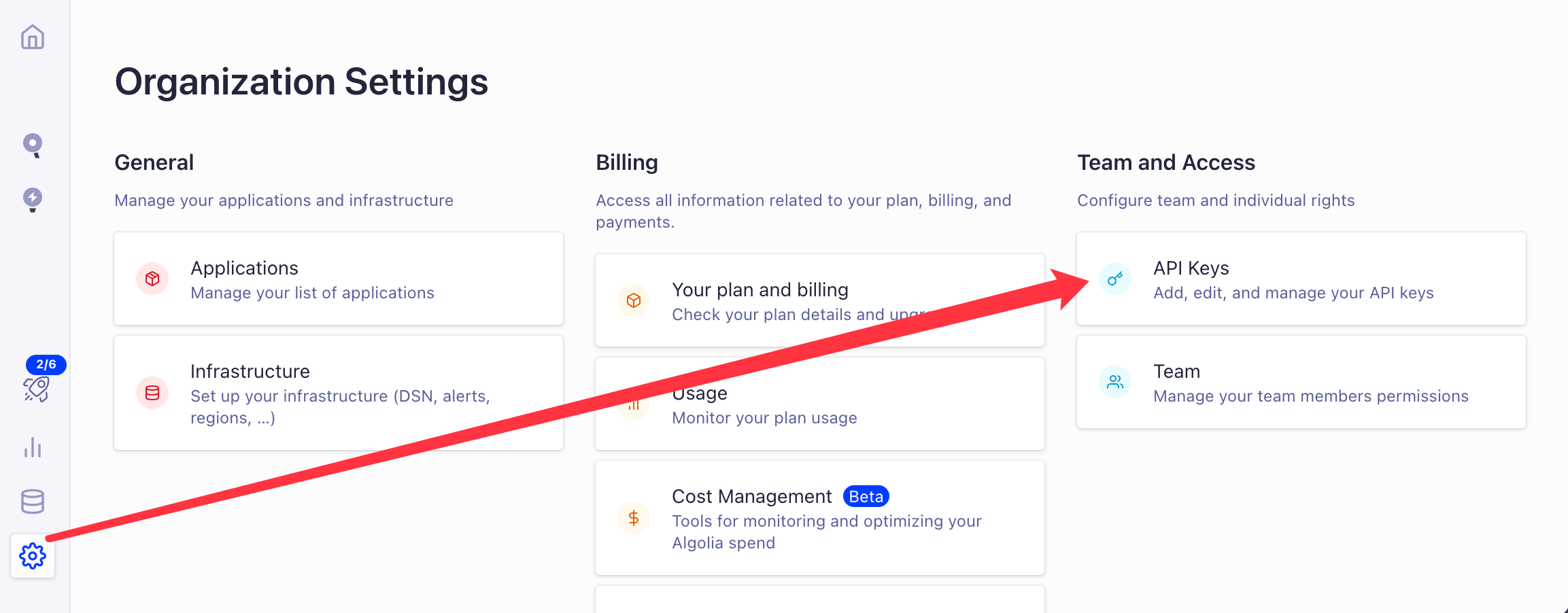
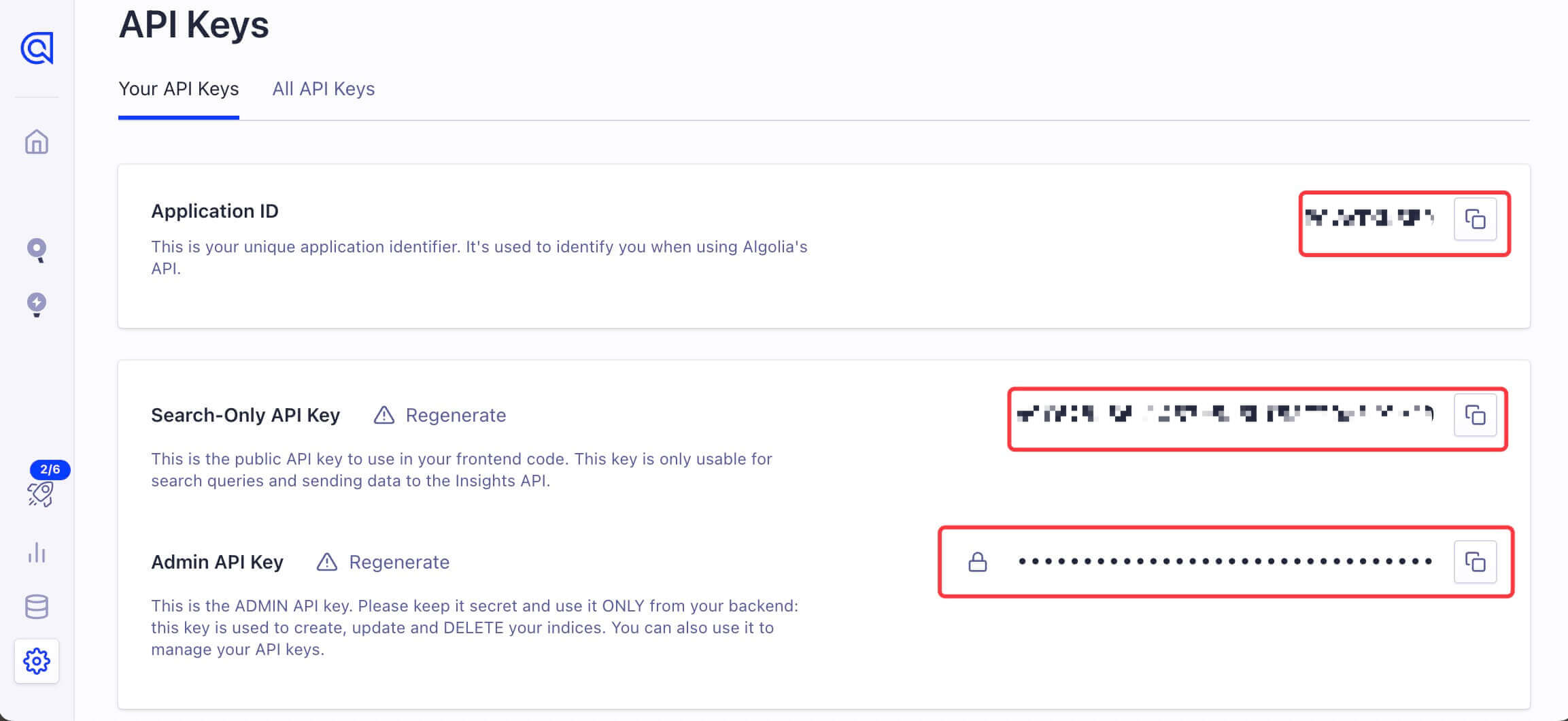
配置
修改博客根目录的配置文件 _config.yml
1 | algolia: |
修改主题目录下的配置文件 themes/butterfly/_config.yml
1 | algolia_search: |
命令
1 | hexo algolia |
其他命令照常就可以
注意事项
虽然有很多博客已经写过如何添加这个插件,如何使用,但是我在实际过程中还是遇到了很多奇怪的问题
本博客所有文章除特别声明外,均采用 CC BY-NC-SA 4.0 许可协议。转载请注明来源 个人博客!
 wechat
- alipay


评论
WalineTwikoo